
Johnny.Decimal Explained: One Number for Everything You Keep
Johnny.Decimal gives every file, note, and project a number and one home. How the system works, who it fits, what it costs, and how to start with one area.
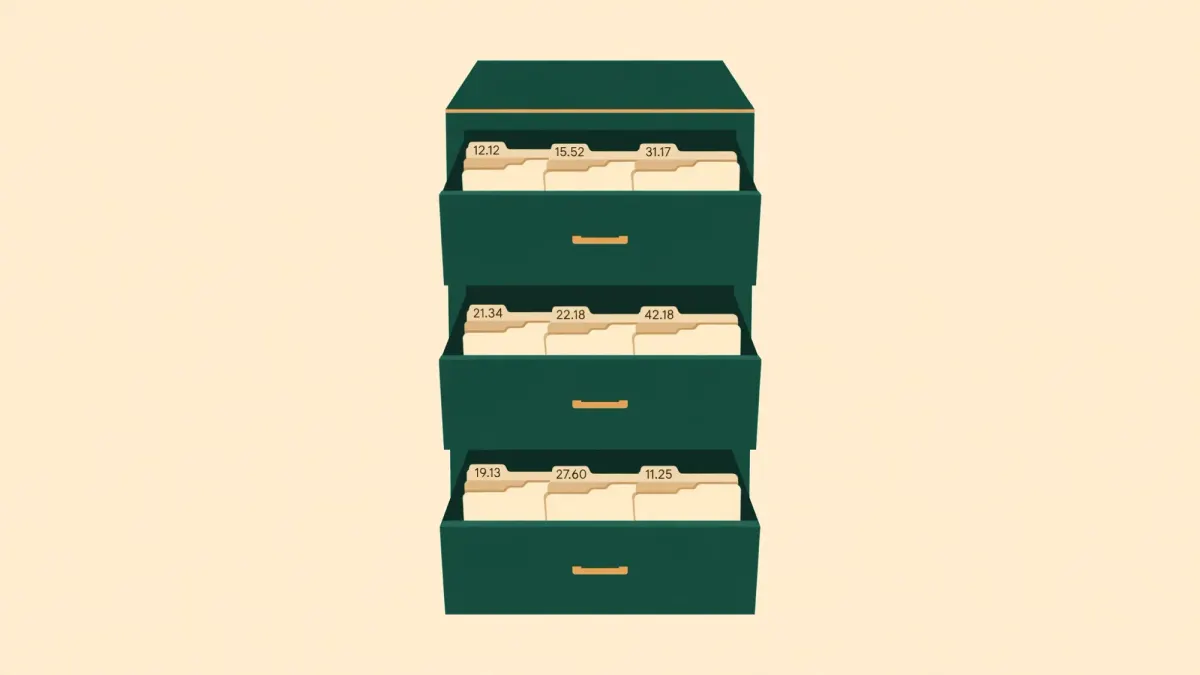
Start where your files actually live. Not in one tidy documents folder. On your desktop, where a dozen files sit in no order at all. In Downloads, where the same contract has been saved three times because you couldn't remember if you already had it. In a folder called Projects, inside a folder called Old, inside a folder called Misc.
Open one and you'll find the usual suspects. Final sitting next to Final draft. A New folder (1) nobody ever renamed. Report v2 and Report v2 (002), twins that look identical and aren't. The real version might be the copy in your email, the one you sent in March. It might be the copy on the cloud drive you forgot you had.
So you do what most people do. You stop looking, and you make a new one.
None of that's a character flaw. A folder tree lets you create a new place in one second, at no cost, with no rules. So it grows wild. Everybody's does.
Johnny.Decimal is a system that takes the opposite bet. Instead of endless folders, you get a small set of numbers, some hard limits, and one rule that does most of the work: everything gets a number, and every number has exactly one home.
Everything Gets an Address
Johnny.Decimal was created by Johnny Noble, and the full system is documented for free at johnnydecimal.com. The logic is borrowed from the Dewey Decimal Classification that libraries have used since the 1870s. In a library, a book's number is its address. Nobody wanders the shelves hoping to spot the book they want. You read the number, walk to the shelf, and put your hand on it.
The system gives your files, notes, and projects that same kind of address. It works on a computer, in a notes app, in cloud storage, and on boxes in your garage, because the address lives in the number, not in any one tool.
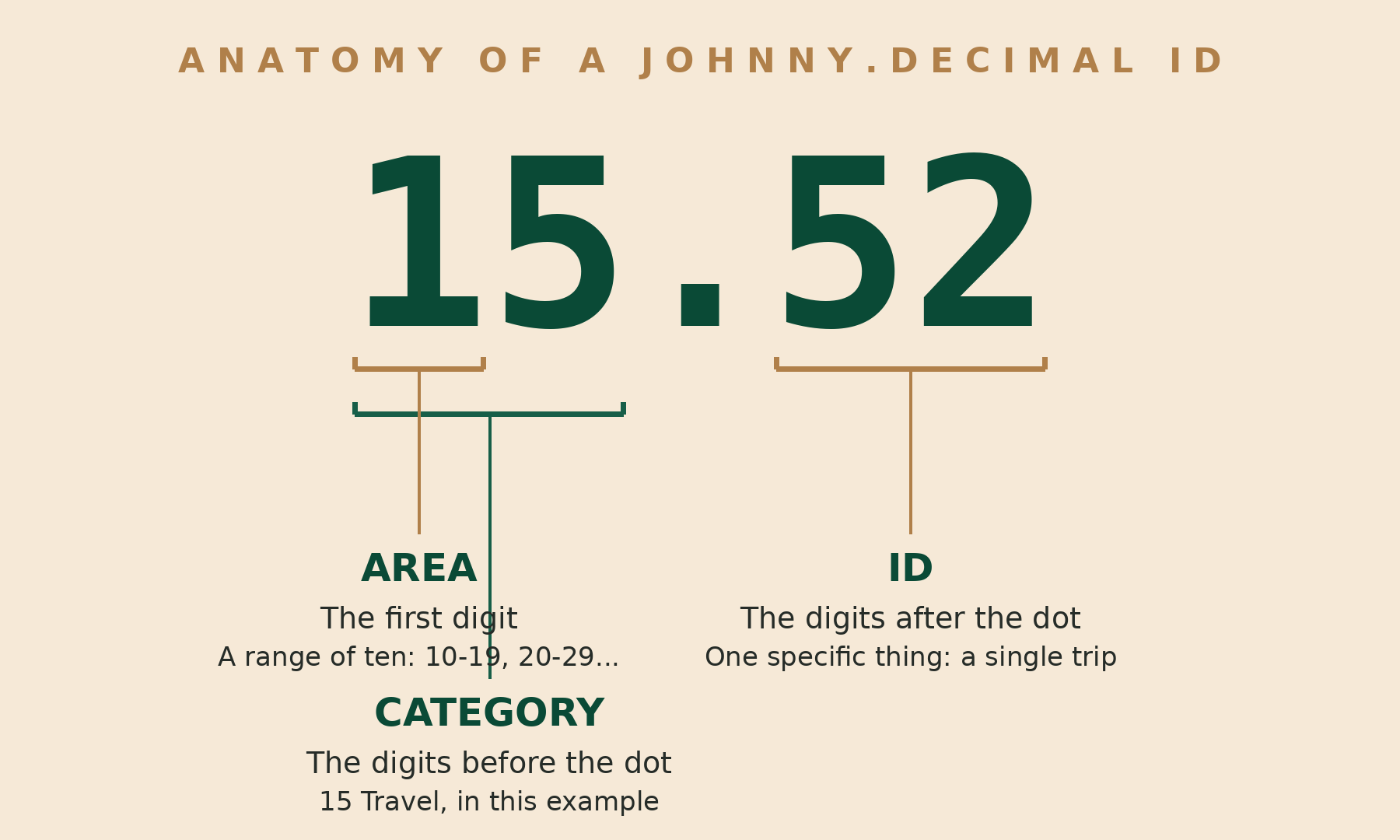
Here is what an address looks like: 15.52. Read it in three parts.
- The first digit is the area. Areas are ranges of ten: 10-19, 20-29, and so on up to 90-99. An area is one broad part of your life or work, like money, home, or client work.
- The two digits before the decimal point are the category. Category 15 might be Travel, inside a 10-19 Life admin area.
- The two digits after the decimal point are the ID, a simple counter for one specific thing. 15.52 could be one particular trip, with its bookings, receipts, and insurance in one folder.
Area, category, thing. Three levels, and never any deeper. That's the whole shape of it.
The Limits Are the Point
The part that makes people pause is the part that makes it work. Johnny.Decimal is built on hard limits:
- No more than 10 areas.
- No more than 10 categories in each area.
- No more than 100 IDs in each category.
Ten areas times ten categories gives you at most 100 categories, and each one holds up to 100 things. That's room for 10,000 items, which is more than most of us will ever file. What you give up is the freedom to make a new bucket for every new idea.
That trade is deliberate. When you go looking for something, you never face more than ten choices at a time. Pick the area, ignore the other nine. Pick the category, ignore the rest. What is left is a short list you can scan in seconds. The limits force you to decide what your categories are once, up front, instead of re-deciding every time you save a file.
One detail worth knowing: the zero numbers are reserved for the system itself. The 00-09 range is set aside for running the system, and inside every category, the IDs from .00 to .09 are reserved for housekeeping jobs like the index, an inbox for unfiled items, templates, and an archive slot. Everyday items start at .11. It sounds fussy. In practice, it means the machinery never crowds out the stuff it exists to organize.
The JDex: One Index for Everything
A numbered folder tree on its own would be good. The index is what makes it powerful.
Every ID gets an entry in an index, called the JDex: the number, the title, and where the thing actually lives. That last part is the quiet superpower. The thing itself can live anywhere. A folder on your hard drive. A note in your notes app. A shared cloud drive. A physical box with the number written on the side. The index entry points at it, so one list can find everything you own, no matter which tool or shelf it sits in.
The index even has its own address: 00.00, the very first number in the system. If you're lost, you start at the beginning. Keep the index in whatever you already use for notes. A plain document works. What matters is that it exists, that every ID gets a line, and that you feed it as you go.
Four Rules That Keep It Standing
Four habits hold the whole thing up.
First, one home per thing. If a document could honestly live in two categories, you pick one, file it there, and mention the other in the index if you need to. The file lives once. Copies and shortcuts are how folder trees turn back into swamps.
Second, no folders inside an ID. An ID folder is the bottom of the tree. Files go in it. Subfolders do not. The moment you allow folders inside folders again, you are back to digging.
Third, numbers are never reused. When something is deleted or retired, its number retires with it. Old notes and old messages that mention 15.52 can never end up pointing at the wrong thing, because 15.52 will only ever be that one trip.
Fourth, categories stay broad. A category is a kind of thing you'll save again and again: invoices, contracts, travel, insurance. It's not a single project or a single event. Those are IDs. Broad categories are what keep you under the ten-per-area limit without a fight.
Why Numbers Beat Names
Names reshuffle. Add a folder called Budgets next to one called Accounting and the alphabetical order moves, so the muscle memory you built last month is worthless. Numbers hold their order forever. 11 always comes before 12, no matter what you add later, so the map in your head stays accurate.
Numbers can also be spoken. You can put "thirty-one dot seventeen" in a text message, say it on a call, or write it on a storage box, and anyone can find the thing. Try doing that with a folder path six levels deep. And because the category is baked into every ID, you'll be surprised how fast you memorize the numbers you use most. The address starts to tell you what kind of thing you are looking at before you even open it.
I judge any organization system by one test: six months from now, can I find the thing in under a minute without remembering what I named it? Numbers pass that test. Clever folder names do not.
Who It Fits, and Who It Doesn't
Johnny.Decimal fits you if your collection keeps growing and search keeps failing you. It fits if you save the same kinds of things over and over: the same reports, the same paperwork, the same project shapes. It fits if more than one person files into the same structure, because a shared map beats five private habits. A family, a small team, a one-person business with a helper on the way, all of them file better with one map than with none. And it fits if your stuff is scattered across tools, because the index doesn't care where a thing lives.
It doesn't fit everyone. If you keep a few hundred files and find them just fine, this is a solution shopping for a problem. If you want zero setup and zero maintenance, plain folders will ask less of you, right up until they don't. And if you know you'll never keep an index updated, be honest about that now. The index is load-bearing. A Johnny.Decimal tree with a neglected index is just folders with numbers on them.
The Honest Costs: Time and Discipline
The system itself is free. The costs are time and temperament.
Setup takes real thought. Designing your areas and categories for a whole life or a whole business is an afternoon of decisions, and moving an existing mess takes longer. There's no way around the thinking, and I'd argue the thinking is most of the value. You are deciding, once, what kinds of things you actually have.
After that, the cost is discipline in small doses. Filing a new thing takes a few extra seconds: pick the category, take the next number, add a line to the index. Skip it a few times and you have a downloads folder full of orphans and an index you no longer trust. The system rewards steady, boring consistency. Some people find that calming. Some find it maddening. Know which one you are before you start.
Johnny.Decimal vs. PARA and Search
The comparison most people ask about is PARA, Tiago Forte's system. PARA organizes by actionability: Projects, Areas, Resources, Archives. It asks, how soon will I act on this? Johnny.Decimal asks a simpler question: what is this? PARA is fluid and forgiving, and things move between its buckets as your workload changes. Johnny.Decimal stays still on purpose, so you can build memory on top of it. Neither wins in the abstract. Pick the question you'd rather answer ten thousand times.
The other alternative is the default: nested folders plus search. It costs nothing to start, and for small collections it's genuinely fine. Its weakness shows up at scale. Search finds words you remember. It doesn't find the scan you saved as IMG_2041, the file a client sent with a nonsense name, or the thing you filed in the folder that made sense at 1 AM. A numbered system doesn't depend on your memory of names at all. It only depends on the map.
Start With One Area, Not Your Whole Life
If you decide to try it, start smaller than you think.
- Pick one area of your life, the messiest one. Not all of it. One.
- List the kinds of things you actually save there. Group them into no more than ten categories. Broad beats precise.
- Give the area its range and the categories their numbers. Create the folders.
- Start the index on day one, in a plain note or document. Every new ID gets a line: number, title, location.
- File everything new by the system from now on. Move the old backlog in batches when you feel like it, or leave it where it sits and let the index point at it.
- Live with it for a few weeks. Expand to a second area only when the first one holds without effort.
Resist the urge to design the perfect system for your entire life on the first weekend. Areas you invent for parts of your life you don't have yet will be wrong. Build for the life you have, and let the empty numbers wait. There are plenty of them, and they are patient.
Learn It From the Source
Everything about the system is documented for free at johnnydecimal.com: the concepts, the full documentation, and the standard structures. There is a forum and a Discord where people share their setups and argue, kindly, about categories. If you would rather start from a finished structure than design your own, there are ready-made systems for sale, including the Life Admin System for personal paperwork and a Small Business System, along with courses and a Pro membership. None of that is required. The system itself costs nothing.
That's the whole pitch, and it's a fair one: a little structure up front, a short index you keep fed, and in exchange you stop digging. One number for everything you keep, and every number with one home.


Comments ()