
What to Automate First in a Small Business, and What to Never Automate

Everyone's selling automation right now. Some of it's useful. A lot of it promises to run your business for you. It won't.
If it's boring and it repeats, automate it. If it needs your judgment, keep it. Here's how I sort the rest.
Start With the Job That Bugs You Most
The best first job isn't the flashiest one. It's the one you do every week that eats time and doesn't need much thinking.
A few good places to look:
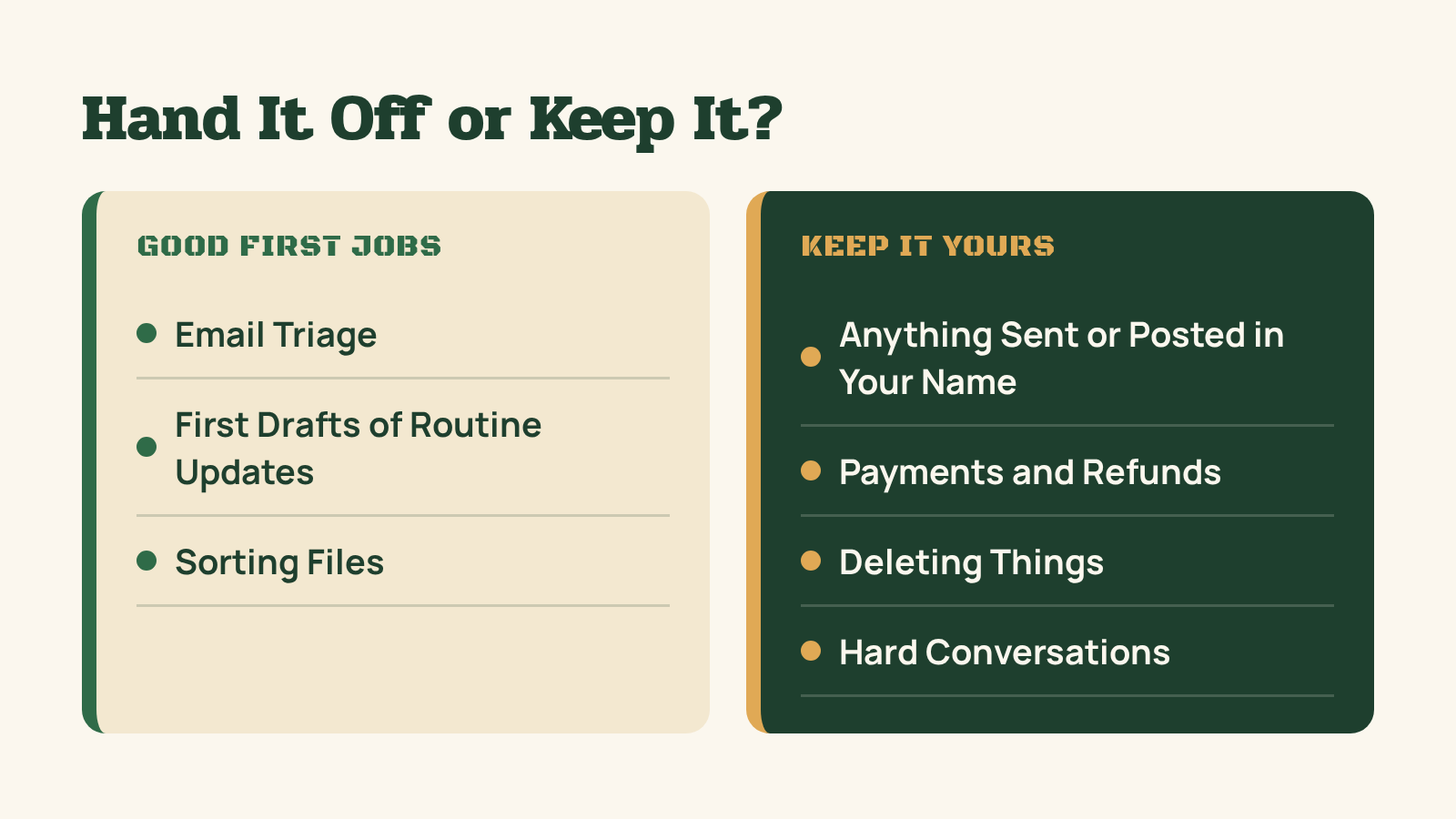
- Email triage. Sorting what needs you from what doesn't.
- First drafts of routine updates. The same kind of message you write over and over.
- Sorting files. Getting things into the right folder so you can find them later.
Pick one. Not three. The one that bugs you most is usually the right place to start, because you'll notice right away if it's working.
Score Each Task Before You Hand It Off
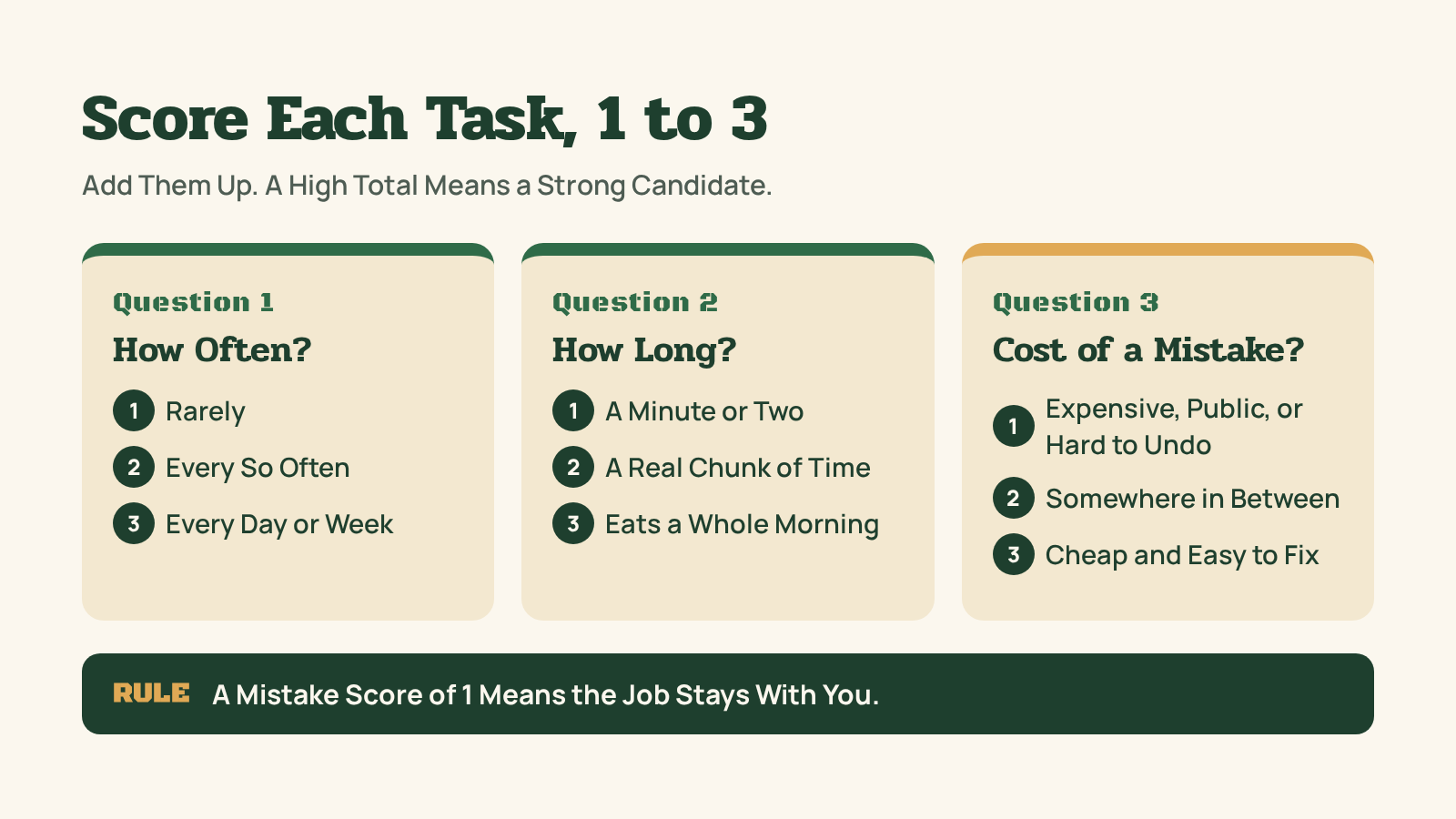
When you're not sure whether a job is ready to hand off, try three quick questions. Give each one a score from 1 to 3.
- How often do you do it? 1 is rarely, 2 is every so often, 3 is every day or every week.
- How long does it take? 1 is a minute or two, 2 is a real chunk of time, 3 is the kind of job that eats a whole morning.
- How costly would a mistake be? This one runs backward. 3 means a mistake is cheap and easy to fix. 1 means a mistake would be expensive, public, or hard to undo.
Add them up. A high total means the job is a strong candidate. A low total means keep it, or at least keep a person on it.
One rule overrides the math: if the mistake score is a 1, the job stays with you, no matter how high the other two are. A frequent, slow job that could cost you a customer still needs your eyes on it.
The scores aren't meant to be scientific. They're a way to slow down for a minute before you hand something off to a bot, and to also have a reason for the “why” you can point to later.
Running One Task Through the Test
Here's a made-up example to show how it works. It's an illustration, not a result from my own business.
Example: sorting incoming email into "needs me" and "can wait."
- How often: Every day. That's a 3.
- How long: It's a few minutes at a time, but it adds up across a week. Call it a 2.
- Cost of a mistake: If something lands in the wrong pile, I find it a little later. Annoying, not a disaster. That's a 3.
Total: 8 out of 9, and no 1 on the mistake score. That's a good first job.
Now compare it to replying to those emails for me. The how often and how long scores might look the same. But a wrong reply goes out in my name, and I can't pull it back. The mistake score drops to 1, so the job stays mine. The assistant can draft. I send.
Same inbox, two very different answers. That's the whole point of the test.
Where the Test Gets Fuzzy
Some jobs land in the middle, with a total around 5 or 6. Those are worth a closer look, not a quick yes.
A middle score usually means one of two things. Either the job is too small to be worth the setup yet, or it's worth doing with a person checking every result. Both are fine answers. Neither one is "hand it off and forget it."
If you're stuck, split the job. "Handle customer questions" is too big to score. "Sort customer questions by topic" and "answer a customer question" score very differently, and that tells you which half to hand off first.
One Job, One Assistant
Don't build a whole system on day one. Give one assistant that one job.
You'll learn more from one tool doing one thing well than from five tools doing five things halfway. And when something goes wrong, you'll know exactly where to look.
Teach It How You Work
An assistant can't read your mind. Write down your preferences, your tone, and what "done" looks like. Put it in a note it can refer back to.
The more specific you are up front, the less you'll repeat yourself later. Vague questions get vague results.
What to Never Automate
This is the part the hype tends to skip.
Some jobs aren't worth handing off, at least not yet. My rule of thumb: if a job needs your judgment every single time, or a mistake would be hard to undo, keep it.
That usually includes:
- Anything that sends or posts in your name. A bot can draft it. You should still be the one who says yes.
- Money. Payments, refunds, anything that moves dollars.
- Deleting things. Files, accounts, records. Hard to undo means a person decides.
- Hard conversations. A tough call with a customer or a partner needs a person, not a template.
A tool that saves you ten minutes and costs you a customer isn't a win.
Set the Rules Before It Starts
Decide your guardrails before the assistant does anything. Not after something goes wrong.
Here are the ones I keep:
- Drafts first. Nothing comes out as a final on the first pass.
- Nothing gets sent or posted without my yes.
- A person approves anything risky.
- Passwords and keys never go in a chat.
Watch It for a Few Weeks
The first few weeks are where it gets good. Check its work. Fix what it gets wrong. Update your notes when you catch a pattern.
Only add a second job, or a second assistant, when the first one is so busy that its main job starts to slip. Add tools because the work calls for it, not because a video said you should.
The takeaway: Automate the boring, repeated work first. Keep anything that needs your judgment or would be hard to undo. One job, one assistant, clear rules, and a few weeks of checking its work.
Grab the Free Checklist
I put all of this in one place: the Start With One Bot checklist. It walks through picking your first job, setting your guardrails, and knowing when to add a second bot.
It's free when you sign up as a Subscriber on grizzlyray.com.
Here's my question: what's the one job you'd hand off first?



Comments ()